LCD Video Wall News

වීඩියෝ බිත්තියක් හදන්නේ කොහොමද?

2026-01-30

How to Build a Professional Digital Signage Video Wall

Digital signage video walls are becoming increasingly popular, and it’s easy to see why. They are visually striking, highly engaging, and impossible to ignore, making them the ultimate solution for delivering content in large spaces.

In the past, video walls were accessible mainly to large organizations with significant budgets, such as airports, shopping malls, and stadiums. Today, thanks to advancements in LCD display technology and falling hardware costs, businesses and institutions of nearly any budget can create 4K video walls to share their messages effectively. Qtenboard provides flexible, commercial-grade solutions that allow clients to build high-quality LCD video walls tailored to their needs.

Step 1: Determine the Size and Configuration of Your Video Wall

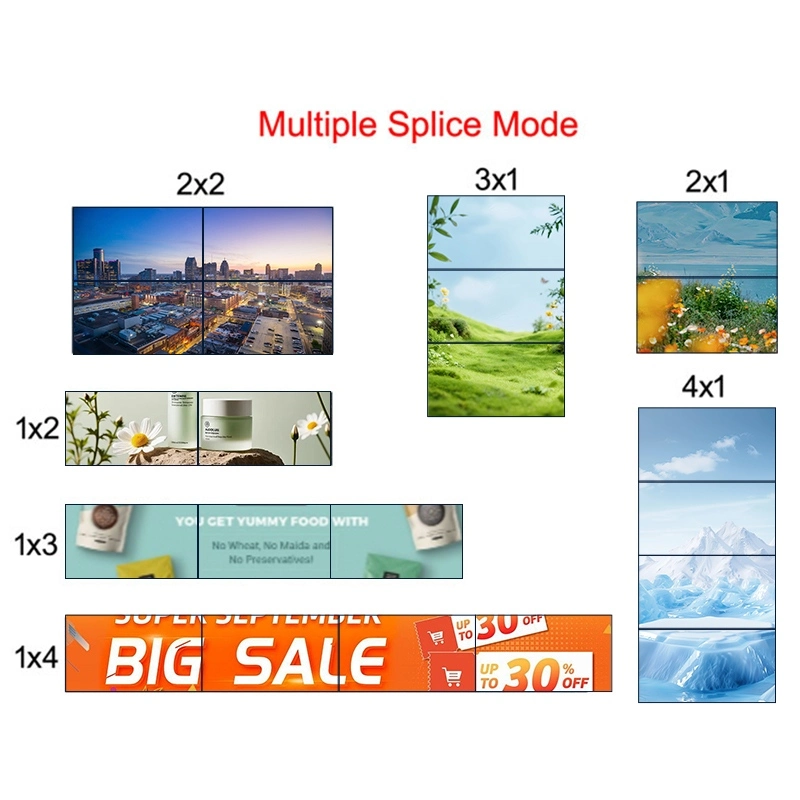
The first step is to define how many displays are required and how they will be arranged. There are two common layout options:

Configuration 1: Square Layouts

  • Same number of rows and columns, such as 2×2, 3×3, or 5×5.
  • Ideal for evenly distributed content across multiple panels.

Configuration 2: Rectangular Layouts

  • Different numbers of rows and columns, such as 1×4, 3×4, or 5×6.
  • Offers flexibility for irregular spaces or specialized content requirements.

Proper planning ensures that the display resolution, aspect ratio, and content placement will match the overall layout.

Step 2: Select the Video Wall Panels

Choosing the right panels is critical for image quality and long-term reliability. Consider the following when selecting LCD video wall panels:

  • Size: Qtenboard offers 43″, 46″, 49″, 55″, 65″, and 75″ panels.
  • Bezel Width: 0.88 mm, 1.7 mm, 1.8 mm, 3.5 mm—narrower bezels create a more seamless display.
  • විස්තරය: Full HD (1920×1080) or 4K (3840×2160) depending on content and wall size.
  • දිගුම: Typically 500 nits for indoor use; 700 nits if near windows or bright areas.
  • තත්වය: Industrial-grade panels with 24/7 operation support and service life exceeding 60,000 hours.

Qtenboard panels provide consistent color accuracy, high contrast, and wide viewing angles (up to 178°), ensuring the video wall looks sharp and uniform from all perspectives.

Step 3: Choose the Video Wall Controller or System

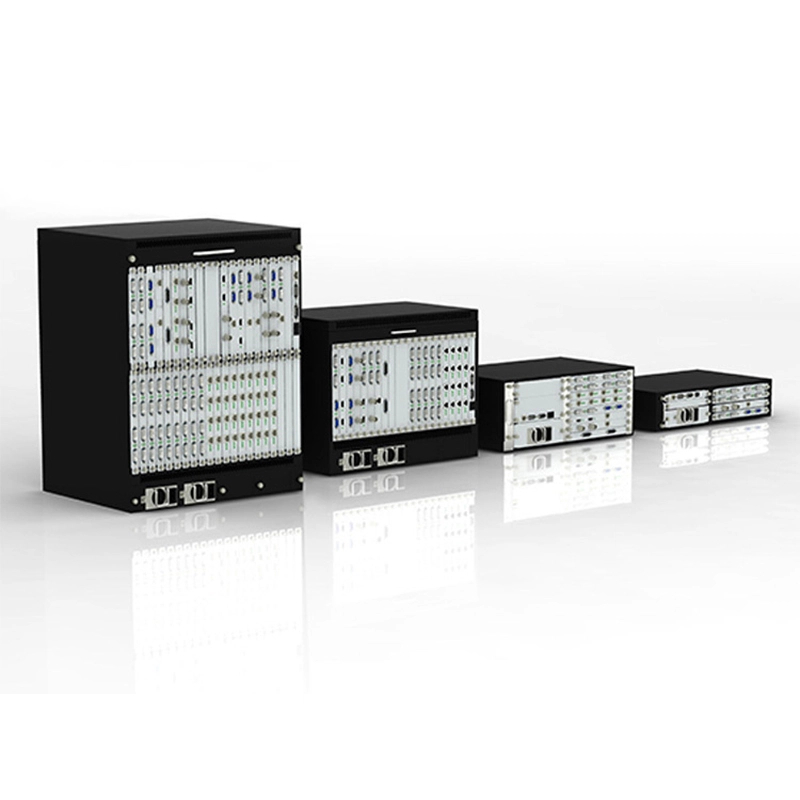
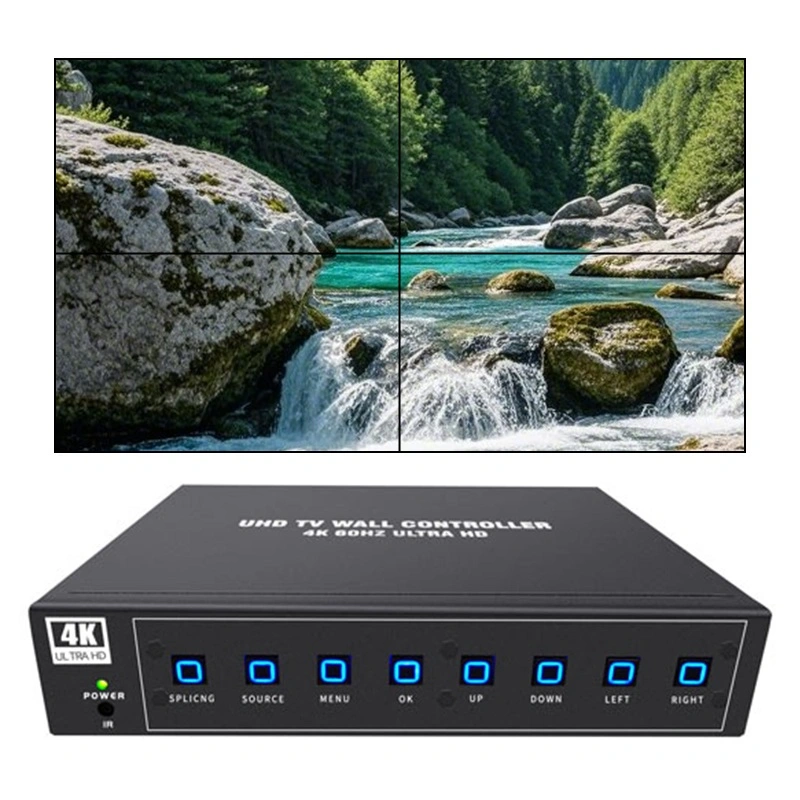
The video wall controller distributes content from a media player to each panel in the correct format:

  • HDMI/DP Media Splitters: Standard solution for small to medium video walls.
  • Dedicated Video Wall Controllers: Manage larger layouts and multiple input sources; support FHD or 4K content.
  • Local Video Wall Systems: Easier to install for smaller walls (up to 3 panels), but high-resolution multi-screen content may be limited.

The controller ensures smooth content scaling, accurate placement, and synchronized playback across all screens.

Step 4: Plan the Installation Structure

Proper mounting is crucial for alignment, stability, and maintenance:

  • Rolling or Mobile Stands: Ideal for classrooms, auditoriums, or temporary displays. Qtenboard’s mobile carts support 45″–55″ panels, allow smooth movement, and lock securely in place.
  • Wall-Mounted or Fixed Structures: Optimal for control rooms, corporate lobbies, and permanent installations.
  • Front-Access Maintenance: Ensures panels can be serviced without dismantling the entire wall.

Cable management is essential for a professional, clean appearance. Organize power and signal cables within structural columns or behind panels to reduce clutter.

Step 5: Configure and Test Content

The content displayed on the video wall is as important as the hardware itself. Key considerations:

  • Match content resolution with the native panel resolution.
  • Ensure correct aspect ratio for text, images, and video.
  • Test color calibration, brightness, and contrast across all panels.

Qtenboard video walls support multi-window display, full-screen content, and dynamic switching, providing flexibility for different presentation needs.

Step 6: Final Installation and Calibration

Once panels are mounted and controllers are connected:

  • Test all signal inputs and display outputs.
  • Calibrate color and brightness for uniformity.
  • Lock all panels and adjust alignment for minimal bezel gaps.
  • Run content loops to verify smooth playback and synchronization.

Qtenboard provides professional support and guidance during this stage to ensure every installation meets high visual standards.

Step 7: Maintenance and Long-Term Operation

Proper maintenance ensures the video wall performs reliably over years:

  • Schedule regular color and brightness calibration.
  • Inspect structural supports and cables for wear.
  • Replace backlights or panels only when necessary.

With industrial-grade panels and proper maintenance, Qtenboard LCD video walls can operate 24/7, 365 days a year, requiring minimal intervention.

Qtenboard Video Wall Project Example

Corporate Training and Presentation Center

Location:මැලේසියා

Configuration: 2 × 4 LCD video wall

Panel Size: 55″

Bezel Width:3.5 mm.

විස්තරය: 1920×1080 per panel

Installation Time: 3 days production & testing + 2 days on-site

Application: Control room, meeting room, presentations

Project Highlights

  • Achieved uniform brightness and vivid image display from all viewing angles.
  • Rolling structure allowed flexible reconfiguration for different room layouts.
  • Fully operational within one week with stable, long-term performance.

අවසරය

Building a professional video wall requires careful planning, high-quality LCD panels, precise installation, and ongoing maintenance. By following these steps and leveraging Qtenboard’s commercial-grade LCD video wall solutions, businesses, institutions, and organizations can create impactful, reliable, and visually stunning displays that engage audiences and enhance communication.

නිෂ්පාදක තොරතුරු කියවීමට ක්ලික් කරන්න එහි ක් රියාකාරකම් සහ සැබෑ ක් රියාකාරකම් ගැන ඉගෙනගන්න.

📖නිෂ්පාදකය කියවන්න

ගෙදර Whatsapp තැපැල් පරීක්ෂණය