
බුද්ධිමත් සංවිධානයේ රැස්වීම්වලට හැඳින්වූ විශාල තට්ටු පැනලය. රැස්වීම් පිරිසිදු වුන දවස්වල ගිහින්, ඩොබීන් සහභාගිකයන්ගෙන් පිරුණා, පැහැදිලි අදින විදිහට, නැත්නම් සටහන් ගන්න. රැස්වීම්, සැලසුම් කිරීම, ක් රියාත්මක කිරීම, රැස්වීම් රැස්වීම් සහ ලියකියවිලි රැස්වීම් සමඟ, සහ ඉතා අන්තර්ජාලය. මෙම ලිපිය සොයාගත්තේ Qtenboard සමඟ රැස්වීම් සඳහා ප් රායෝගික ප් රායෝගික සලකා බලන්න, මෙය නවීන කාර්යාල, පන්ති කාමරවල හා රැස්වීම්වලට අවශ් ය උපකරණයක් බවට පත් කිරීමට පෙන්වන්න.
රැස්වීම් සඳහා Qtenboard වල ප් රධාන ප් රයෝජන ලබන එකක් තමයි, ඒක තහවුරු කරන්නේ දර්ශන තත්වය යටතේ පවා පැහැදිලි කරයි කියලා. පැනල් යොදාගත් අධ් යාපන තාක්ෂණය භාවිත කරනවා. ලේඛනයක් විශාල කරමින්, යතුරු ලකුණු ලකුණු හෝ සරල අන්තර්ගතය මකන්න, අන්තර්ජාලය වයිට්බෝඩ් එක් විද් යාත්මක අවස්ථාවලදී සම්බන්ධයෙන් ලබා දෙනවා.
රැස්වීම් සඳහා Qtenboard අන්තර්ජාලය චුට්බෝඩ් බහුල තොරතුරු සහය දක්වනවා, කණ්ඩායම් සීමාවන් නොමැති කාලෙදි සමත් කිරීමට ඉඩ දෙනවා. මේ අංගය විශේෂයෙන්ම ප් රයෝජනවත් වේගය, ව් යාපෘතිය සැලසුම්, හෝ පුහුණු වැඩසටහන, බොහෝදෙනෙක් තිරයේ කෙලින්ම සාකච්ඡා කරන්න පුළුවන්, ගිවිසුම සහ අදහස බෙදාගීම දියුණු කරගන්න.
නවීන රැස්වීම්වලින් විශේෂයෙන්ම හා දුරස්ථ පරිසරවලින් අවශ් යයි. Qtenboard රැස්වීම් සඳහා අන්තර්ජාලක චයිට්බෝඩ් වල වැරදි සම්බන්ධ තාක්ෂණය යොදාගනිමින්, කුමක් දත්ත දත්ත කේබල් තොරතුරු නොමැති තිරයේ ප් රයෝජනය පරිශීලීන ලැප්ටොප්ටෝප්ස්, ස්මාර්ට්ෆෝන්, ටැබෙල් හා වෙනත් උපකරණ සම්බන්ධ කරගත හැකියි. මේ වැරදි රහස් වැඩකම අවශ් යතාවය අධිකරණය කරනවා, සෑම සහභාගික සම්බන්ධතාවයක් බෙදා ගන්න පුලුවන් හෝ සුදු පුවරු සමඟ සම්බන්ධකම් විය යුතුයි.
සාමාන් යයෙන් දුරස්ථ සම්බන්ධයෙන් හවුල් වෙන්න පුළුවන්. ගුරුවරුන්, කළමණාකරු, කණ්ඩායම නායකයන්ට පුලුවන් සාකච්ඡා කිරීම්, ලියකියවිලි බෙදාගන්න, සැබෑ කාලෙදී ස්ථානය කරන්න, ගෙදර, විදේශයට ගමන් කරන්න. මෙම ක් රියාත්මක වන්නේ Qtenboard රැස්වීම් සඳහා අන්තර්ජාලය චුට්බෝඩ් සංවිධාන හුඟක් ක් රියාත්මක කිරීම සඳහා අත් යවශ් ය උපකරණයක්.
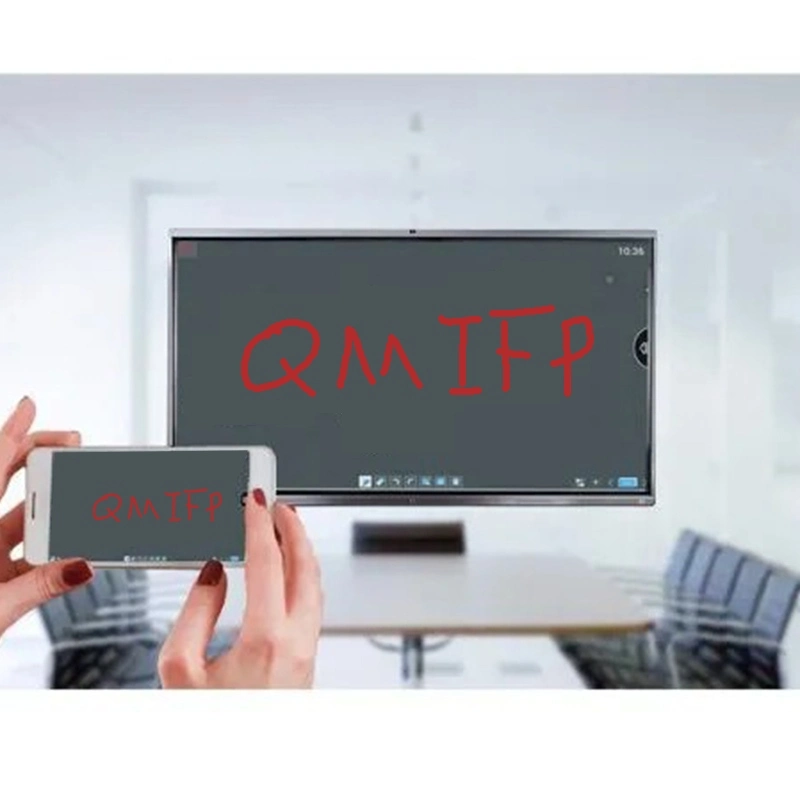
මෙම ක් රිස්තියානීන් හා මෘදුකාංග හා මෘදුකාංගය සමඟ විශාල සම්බන්ධතාවය. Windows සහ Android මෙහෙයුම් පද්ධතිය දෙකම සහය දක්වන්න, පැනල් එක යතුරු පද්ධතිය මාරු කිරීමට ඉඩ දෙනවා, පරිශීලකයන්ට විවිධ යෙදුම් ක් රියාත්මක කිරීමට ඔවුන්ගේ විශේෂ අවශ් යතාවලට අනුව. වීඩියෝ සම්බන්ධ මෘදුකාංග සිට ව් යාපෘතිය පාලන මෙවලම්, පුහුණු වේදිකා සහ සහායක ඇමතුම්, රැස්වීම් සඳහා Qtenboard අන්තර්ජාලක චයිට්බෝඩ් සම්පූර්ණයෙන්ම සම්බන්ධ වෙනවා.
ඊළඟට, Qtenboard සහ HDMI, USB, සහ වයසැලී ස්ථානයක් ඇතුළත්, උපකරණ වර්ගයෙන් අන්තර්ගත නොමැති බව තහවුරු කරමින්. එහි ප් රතිඵලයක් වශයෙන් ව් යාපාරික කාමර සිට අධ් යාපනික ආයතන දක්වා සුදුසුයි.
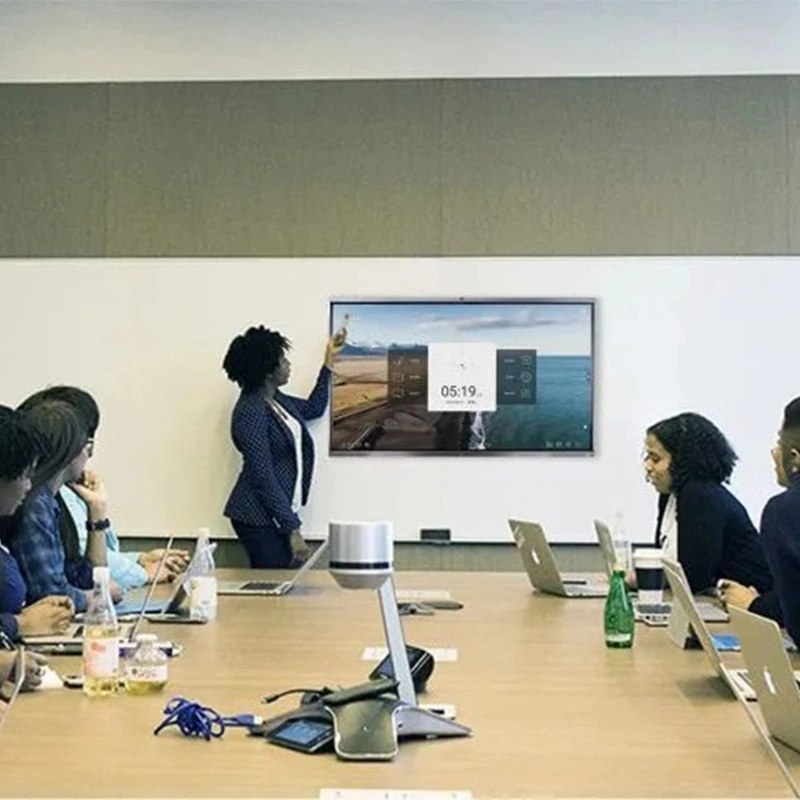
රැස්වීම්වලින් බොහෝවිට දුෂ්කර කාලය පාලනය කිරීමට හා පැහැදිලි ලියවිලි අඩු වේ. රැස්වීම් සඳහා Qtenboard අන්තර්ජාලය චයිට්බෝඩ් එකේ මෙම ප් රශ්න විසදවනවා:
ක් රිස්තියානීන් ජීවත් වන්නේ ක් රිස්තියානීන්ටයි. ගුරුවරුන්ට දුරකථන පංතිය වාර්තා කරගත හැකියි. මාධ් යයාට අන්තර්ජාලය රැස්වීම් පවත්වන්න පුලුවන්, සහභාගිකයන්ගේ සම්මාදම් ලුහුබඳින්න, සහ විස්තර විනාඩි ගානක් පවත්වන්න පුළුවන්. රැස්වීම් සඳහා Qtenboard අන්තර්ජාලක චයිට්බෝඩ් එක් මෙසේ පැවසුවා.
සමාගම් බෝඩ් කාමරවල, Qtenboard සාක්ෂිකරුවන් සමඟ රැස්වීම් සඳහා සමාගම් සහකරුවන් සහ තීරණ ගත්තොත් වැඩියි. කණ්ඩායමට පුළුවන් දුරස්ථ සේවකයන්ට සම්බන්ධයෙන් සම්බන්ධ වෙන්න පුළුවන්, ස්ථානයේ අවස්ථාවක් නැතුව සැබෑ වෙලාවට දායක වෙනවා. රැස්වීම් වාර්තා කිරීමට හැකියාව වගකීමක් ලබා දෙනවා.
පාසැල් හා විශ්වවිද් යාලවලින් Qtenboard අන්තර්ජාලය චුට්බෝඩ් රැස්වීම්වලට ලක් කර තිබෙනවා. අන්තර්ජාල පන්තිවලදී, ගුරුවරුන්ට පුළුවන්:
වස්තුවේදී, මෙම අන්තර්ජාලය චුට්බෝඩ් අධ් යාපනය අධ් යාපනය සාර්ථක වුණා. Qtenboard's EDLA සහතිකය තහවුරු කරනවා අධ් යාපන ප් රමිති සහ මෘදුකාංගය සමඟ සම්බන්ධකම, ඒක ලොව පුරාම තීරණය කරන්න.
සෞඛ් ය රැකියාව, ඉංජිනේරු, සහ සංස්ථාන ස්ථානයේ පුහුණු වාරය ප් රයෝජන ලබා දෙන සුදුසු වේට්බෝඩ්ගේ පීඩනයෙන් ප් රයෝජනවත් වෙනවා. සංකීර්ණ රූප, රෝගීන්ගේ දත්ත හෝ ක් රියාකාරකම් ලබාගත හැකියි. වාර්තා කළ වාර්තාවලින් දිගටම ඉගෙනගැනීමට හා පුහුණු කිරීම සඳහා උපකරණයක් ලබා දෙනවා.
Qtenboard විවිධ රැස්වීම් සහ ඉගැන්වීම් පරිසරයට සම්බන්ධ වීමට ප් රමාණයක් දෙනවා:
මෙම ප් රමාණය විකල්ප සංවිධානයට ඉඩ දෙනවා ඕනෑම කාමරයටම පරිපූර්ණ පන්තිය තෝරාගැනීම, සියලුම සාමාජිකයන්ට දර්ශනය, සම්බන්ධතාව, සහභාගිකයන්ට සහභාගි වීමට.
රැස්වීම් සඳහා Qtenboard අන්තර්ජාලයක වයිට්බෝඩ් ලබා දීප්තිමත්, සම්බන්ධ හා යුධ කාර්ය පරිසරයට දිගටම වෙනස් වීම දක්වනවා. ප් රධාන දර්ශන ඇතුළත්:
මේ අලුත්වැඩියාව අවධානයෙන්, සංවිධාන සහ පාසලට රැස්වීම් ලබා දීමට සහතික වෙන්න පුළුවන් සහභාගි ස්ථානය වුණත්.
කුට්න්බෝඩ් රැස්වීම් සඳහා අන්තර්ජාලය වයිට්බෝඩ් එකට වඩා වැඩියි. ඒක සම්පූර්ණ රැස්වීම් විසඳුමක්. ගිවිසුම, සහ නිෂ්පාදකතාව. කණ්ඩායමේ කාමරේ ඉඳන් පන්ති කාමර දක්වා, පුංචි කණ්ඩායමේ රැස්වීම් සිට විශාල හිබරස් සම්බන්ධ වලට, කුට්න්බෝඩ් සන්නිවේදනය කිරීම සඳහා අවශ් ය මෙවලම් ලබා දෙනවා. බොහෝ සම්බන්ධතාව, වෛද් ය සම්බන්ධතාව, රැස්වීම් සහ වලාකුළ සම්බන්ධතාව, ඒක සහතික වෙනවා සහභාගීකරුවන් සම්බන්ධයෙන් සහ තොරතුරු දීමට. ඒකේ EDLA - තහවුරු IFP පැනලාම් සහතික කරනවා, පාසැල්, විශ්වවිද් යාල හා වෛද් ය සංවිධාන සඳහා එය විශ්වාසවන්ත විසඳුමක් ලබා දෙනවා.
රැස්වීම් සඳහා Qtenboard අන්තර්ජාලක චුට්බෝඩ් එකේ ආරම්භ කිරීමේ අදහස් කරන්නේ අනාගතයක් නොමැති සහයෝගය තුළදී, දුරස්ථ ඉගෙනගත්තා, සහ දියුණු හිස්බිඩ් රාජ් ය සම්බන්ධතා. ඒක තමයි නවීන රැකියා ස්ථානය සහ පන්තියේ කාමරයට අවසන් "සමුළු කණ්ඩායම".
නිෂ්පාදක තොරතුරු කියවීමට ක්ලික් කරන්න එහි ක් රියාකාරකම් සහ සැබෑ ක් රියාකාරකම් ගැන ඉගෙනගන්න.
📖නිෂ්පාදකය කියවන්න
 SIN
SIN
 EN
EN  MAY
MAY  TH
TH  CHT
CHT  ID
ID  BUR
BUR  FIL
FIL  HKM
HKM  LAO
LAO  VIE
VIE