
නවීන පන්තියේ කාමර හා කාර්යාලවලට මුහුණ දෙන මඟ පෙන්වීමක්
අලුත් ෆ්ලැට් පැනලයක් (IFP) තුළ ආයෝජනය කිරීමට පැමිණෙන විට, මෙම විකල්ප වශයෙන් වැදගත් විය හැකියි. ඒත් ඔයා හොයන්නොත් ගුගුල් සේවා වලට එකතු වෙන එකක්, IFP සහාය වන EDLA (Enterprise Device Agree) තෝරාගැනීම දක්ෂ ක් රමයක්. මේ මඟ පෙන්වීමේ, අපි ඔයාව සලකා බැලීමේ මූලික සාක්ෂිකරුවන් හරහා ගමන් කරමු.
ගූගල්ගේ EDLA සහ රජයේ ආයතන ආයතනයන් ගූගල් වල බලය ලබා දීමට ඔවුන්ගේ අන්තර්ජාල දර්ශන වලින්. EDLA සහය දක්වන IFP ගූගල් ඩ් රයිව්, Google මීට, සහ Google පන්ති කාලේ, පරිශීලක් EDLA සමඟ උපකරණයක් තෝරාගැනීමෙන්, ඔබ ඔබේ දර්ශනය අනාගතය අවසන් යාවත්කාලීන සහ ආරක්ෂක තැනක් සමඟ.
නිවැරදි IFP එකේ ලොකු වෙනසක් ඇති කරගන්න පුළුවන්. ඔයා පන්තියක් උගන්වන්න, ව් යාපාරික රැස්වීමක් නායකත්වය, නැත්නම් දුරස්ථානයට සහයෝගයෙන්, ඔබ තෝරාගන්න අන්තර්ජාල ප් රාන්ත පන්තියේ සන්නිවේදනය හා සමාගමේ ගුණාංගයට බලපායි. මෙම උපකරණ වැදගත් ආයෝජනයක් වෙන්න පුලුවන්, තිරයේ වැදගත් ප් රමාණයට පදනම තීරණයක් ගන්න වැදගත්. සම්බන්ධතාවය සහ ලක්ෂණ.
ඔබේ දර්ශනයේ ප් රමාණය වන්නේ ඔබ සලකන මුල්ම දේවලින් එකක්. ඔයා IFP එක පාවිච්චි කරනවා නම් පුංචි පන්ති කාමරයක හෝ සංකේත කාමරයක, අඟල් 55-65 දර්ශනයක් පරිපූර්ණ විය හැකියි. අඟල් 75 සිට අඟල් 110 දක්වා දක්වා දර්ශන අවශ් ය විය හැකියි. Qtenboard අන්තර්ජාලය දර්ශනය ලබා දෙන අඟල් 55 සිට අඟල 110 දක්වා ලබා දෙනවා.
Pro ටුව:සෑමවිටම ඔබේ තත්වය මිනිසුන් දෙස බලන්න. ගොඩක් ලොකු දර්ශනයක් කාමරය පුලුවන්, කුඩා දර්ශනයක් දුරකින් කියවීම අමාරු විය හැකියි.
ඔබේ IFP තීරණ විසඳුම පැහැදිලිව සහ පිංතූර ගුණාංගයට බලපානවා. බොහෝ නවීන IFP වර්ග 4K විසඳුම ලබා දෙනවා. ආලෝකයත් වැදගත්, විශේෂයෙන්ම ඔයා කාමරයක පාවිච්චි කරනවා නම්.
Qtenbour බොහෝ පරිශීලකයන්ට එකම අවස්ථාවකදී ස්වභාවික, ස්වාභාවික ස්වාභාවික සමඟ සම්බන්ධ කිරීමට ඉඩ දෙනවා. ස්පාඤ්ඤ ප් රතිචාරය ඉතාම නිවැරදියි, ඒ වගේම උපකරණ නිවැරදි චිත් රය හෝ වැනි තැනැත්තා සඳහා සහයෝගය දක්වනවා. ඊට හේතුව කුමක්ද?
සම්බන්ධකම් විකල්පයක් වැදගත්. ඔබේ EDLA සහාය දක්වන IFP වීඩියෝ ආදායම සඳහා HDMI පෝර්ට්, USB පෝර්ට් පහසුවෙන්, සහ Wi-Fi සහ වයර නැවත සමාගමට. සම්බන්ධ සම්බන්ධතා වැඩියෙන්, ඔබට පහසුවෙන් IFP එකතු කරන්න පුළුවන් ඔබේ පවතින තාක්ෂණික පරිසර පද්ධතියට.
ගූගල්ගේ ඇප්පල් සහ සේවා වල පරිසර පද්ධතියේ EDLA සහාය දක්වන IFP වලට විශේෂ තත්වයක්. ගොගූල් වැඩසටහන සම්පූර්ණයෙන් සම්බන්ධ කර ඇති උපකරණ පරිශීලක ලේඛන වලට ඇතුළත් කිරීමට, ගොනු බෙදාගන්න, සැබෑ කාලෙදි ව් යාපෘතියට සහයෝගය වන්න, ඒ වගේම ගුගුල් මීට් වාර පන්තියෙන් කෙලින්ම ක් රියාත්මක කරන්න.
ආරක්ෂකත්වය ලොකු වැදගත්කමක්. සංකේතනය කරන සන්නිවේදනය, දුරස්ථ පාලනය මෙවලම්, සහ සාමාන් ය මෘදුකාංග යාවත්කාලීන ඔබේ දත්ත ආරක්ෂා කරන සහ කර්මාන්ත ප් රමිතිවලට අනුව තහවුරු කරගන්න.
EDLA - තහවුරු කර ඇති සුදු පුවරු දිගු කාලීන ආයෝජනයක්. මුල් මිලය සාම්ප් රදායික පුවරුවට වඩා වැඩි විය හැකි වුණත්, උපකරණ දිගටම දිගටම රැකබලා ගැනීම සහ සැපයුම් මිල අඩු කරනවා, සලකුණු, යවන්න, හා වෙනුවට පුවත්පතක් වැනි. තවදුරටත්, EDLA සහාය දක්වන උපකරණ ධනවත් අධ් යාපනය සහ කාර් ය කාර් ය උපකරණ ලබා දෙනවා, ආයෝජනය තුළ සම්පූර්ණ ආරම්භය දියුණු කරමින් දිගු දිගු, සාධාරණ විසඳුමක් සහතික කිරීම.
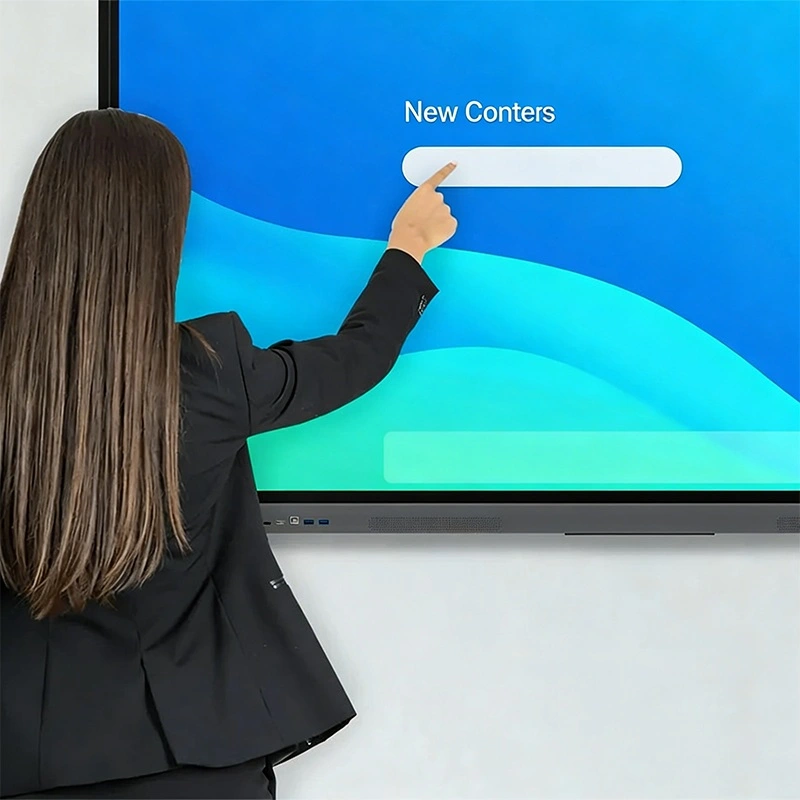
EDLA සහය දක්වන IFP අනුගමනය කරනවා, පන්තියේ කාමර, සංඛ් යා කාමර, සංස්ථාන කාමර, රාජ් ය ක්ෂේත් ර.
ගුරුවරුන්ට පුලුවන් ගූගල් පන්තියේ කාමරය පිවිසීම, පාඩම් පාසැල, සහ ශිෂ් යයන් අතර සාමාන් ය සහයෝගය ලබාගන්න පුළුවන්. EDLA වල සම්බන්ධතාවය සමඟ සම්බන්ධ කරමින්, අභිෂේක හා කාර් යතාවන් අධ් යාපන පරිසරයක් නිර්මාණය කරනවා.
EDLA සහය දක්වන IFP කණ්ඩායම සාමාජිකයන් අතර සුරක්ෂිත සන්නිවේදනය සාර්ථක කරවන්න. ගුගල් මෙට් සහ ගුගල් ඩ් රයිව් සමඟ සංගෘතිය තහවුරු කරනවා ව් යාපෘති ගොනු, ඉදිරිපත් සහ ස්වර්ග රැස්වීම් සහ සියලුම සහභාගිකයන්ට ලබා දෙන බවට, එක් එකතු වීමේ හැකියාව වැඩි කරගන්න.
සෞඛ් ය රාජ් ය පරිසර තුළ, EDLA සහය දක්වන IFP ආරක්ෂිත, විශ්වාසවන්ත රැස්වීම්වලට, දුරස්ථ උපදෙස් හා සංවේදී දත්ත කළමනාකරණය, පිරිසිදුකම සහ ක් රියාකාරකම් දෙකම සහතික කිරීම.
Qtenboard අන්තර්ජාල චුට්බෝඩ් පිරිසිදුවක් තියෙනවා, පළවෙනි වතාව පරිශීලකයන් හා අත්දැකීම් ක් රියාකාරකම්පාවලට නිර්මාණය කරලා තියෙනවා. සියළුම අත් යවශ් ය මෙවලම්, චිත් ර, තිර බෙදීම, ගොනු ආයුධ කිරීම, මාධ් ය වාදනය, තර්කානුකූලව සංවිධානය කරයි. සංකීර්ණ තොරතුරු සමඟ සටන් කිරීමට වඩා ඉගැන්වීම, ඉගෙනගැනීම හෝ සහයෝගය ලබාගැනීමට අවධානය යොමු කළ හැකියි. පරිශීලකයන්ට මෙවලම් හා කෙටිමංග සැලසුම් කිරීමට ඉඩ දෙනවා ඔවුන්ගේ කැමැත්තට අනුව, ක් රියාකාරිත්වය ශක්තිමත්ව හා සම්පූර්ණ පරිශීලක තෘප්තිමත්.
EDLA-තහවුරු Qtenboard IFP සහාය සහායක ස්වයංක් රීය මෘදුකාංග ගුගුල් EDLA සංග් රහණය කරමින් උපකරණ අලුත් ආරක්ෂක ස්ථානයක් ලබා දීමට, ක් රියාකාරිත්වය සහ ප් රස්තාරම. ස්වයංක් රීය යාවත්කාලීන පරිපාලන ක් රමය අඩු වෙනවා. සෑම යාවත්කාලීනමක්ම දියුණුවක් පරීක්ෂණය ලබා දෙනවා, උපකරණයේ දිගු කාල ක් රියාත්මක කිරීම දියුණු කරවන්න.
Qtenboard විශාල සහායක සේවා සපයයි. පරිශීලකයන් තොරතුරු අත්පොත, වීඩියෝ ඉටු කිරීම් හා අන්තර්ජාල සම්පත්වලට ලබා දෙනවා. වෛද් ය කණ්ඩායම් දුරකථනය, ඊમેල්, හෝ ස්ථානවල ප් රශ්නයක් විසඳීමට ලබා දෙනවා.
පාසැල් සහ නිෂ්පාදකයන් සඳහා, Qtenboard දුරස්ථ ප් රමාණය කිරීම, මෘදුකාංග සැකසුම් ඇතුළත්, සහ කාලීන දිරිගැන්වීමේ යෝජනා. පුහුණු වැඩසටහන පරිශීලකයන්ට සම්පූර්ණයෙන්ම භාවිතා කිරීමට උදව් කරන්න පුහුණුව ලබා තිබෙනවා. සහ දුරස්ථ ඉගෙනගැනීමේ ක් රියා. මෙම සම්පූර්ණ සහය තහවුරු කරගත් සෑම Qtenboard EDLA තහවුරු කරගත් සාමාජිකයෙක් හා දිගු ක් රියාත්මක වන බව සහතික කරනවා.
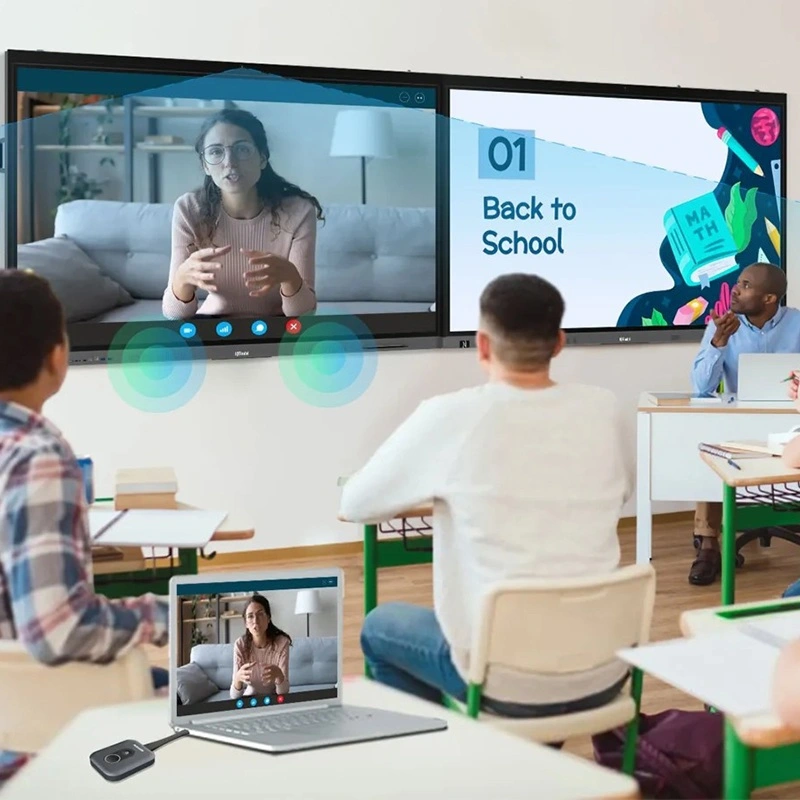
ගුගුල් EDLA සහාය දක්වන අන්තර්ජාලක තැනැත්තාවක් තෝරාගත් විට, Qtenboard ලබා දෙනවා, දිගු කාලීන ස්ථානයක් නැති ගූගල් එකතුව, සහ දිගු කාලීන විශ්වාසය. ඔබේ අවකාශය, මුදල් හා අවශ් ය අවශ් යතාව සැලකිලිමත් වීම ඔබේ IFP ආයෝජනය අවුරුදු ගණනාවක් ලබා දෙනවා. සහ අධ් යාපනය හෝ සහයෝගය.
අත්දැකීමක් නොමැති ගුගුල් සම්බන්ධතාවය හා ඉතාමත් අන්තර්ජාල ක් රියාත්මක කරන්න
නිෂ්පාදක තොරතුරු කියවීමට ක්ලික් කරන්න එහි ක් රියාකාරකම් සහ සැබෑ ක් රියාකාරකම් ගැන ඉගෙනගන්න.
📖නිෂ්පාදකය කියවන්න
 SIN
SIN
 EN
EN  MAY
MAY  TH
TH  CHT
CHT  ID
ID  BUR
BUR  FIL
FIL  HKM
HKM  LAO
LAO  VIE
VIE